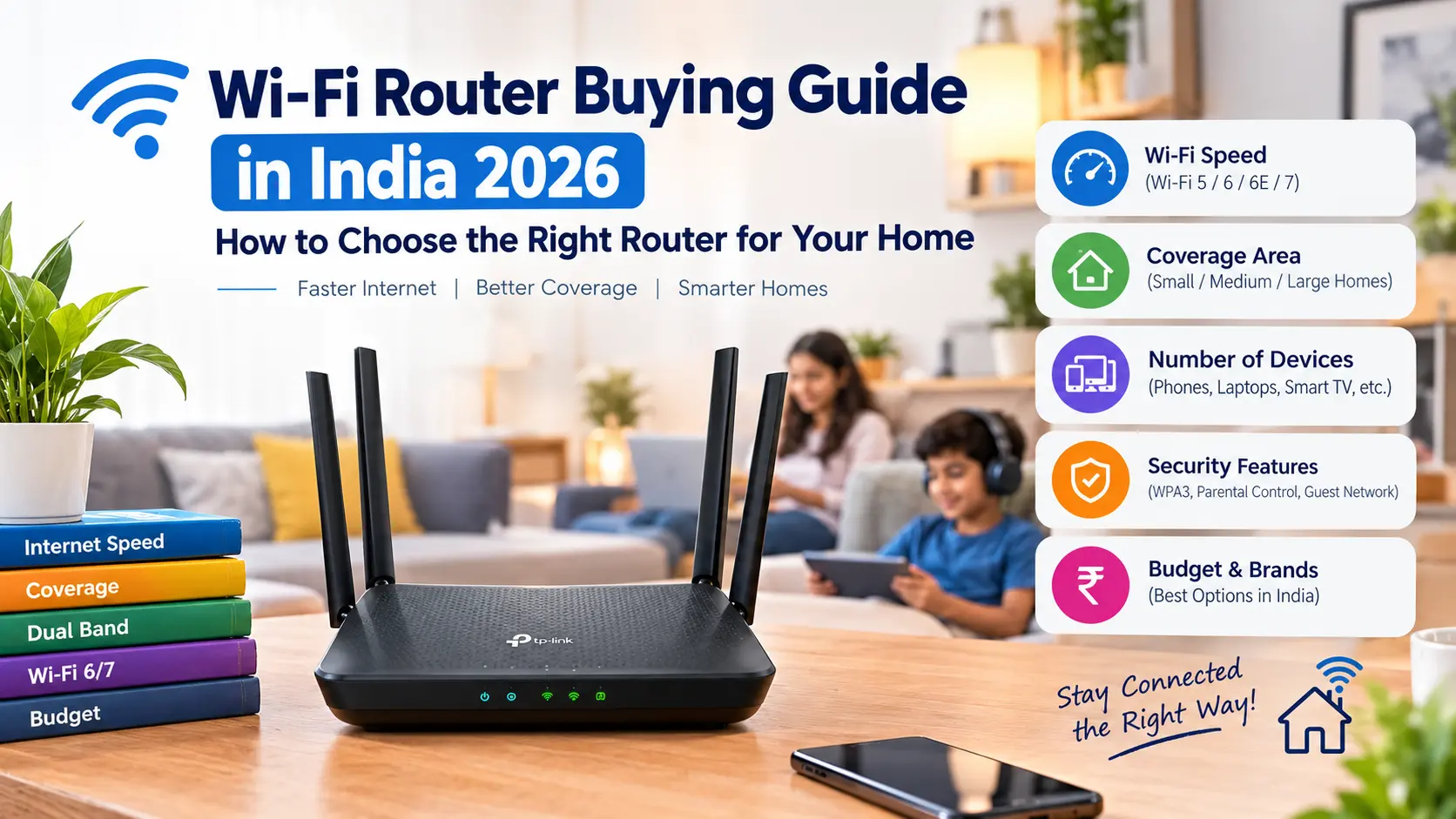
A reliable internet connection is now an essential part of everyday life.We use Wi-Fi for online classes, work meetings, streaming, gaming, smart-home devices, banking, cloud storage and almost everything else connected to the internet.When the internet feels slow, however, many people immediately blame their broadband provider.Sometimes the real problem is the Wi-Fi network inside the home. An older router, poor placement, weak coverage, interference, too many connected devices or unsuitable Wi-Fi hardware can affect the experience even when the broadband connection itself is working correctly.
Choosing a new router can therefore make a noticeable difference—but only if you understand what you actually need.Modern router specifications can be confusing. You may see Wi-Fi 5, Wi-Fi 6, Wi-Fi 6E, Wi-Fi 7, dual-band, tri-band, 2.5GbE, mesh, MU-MIMO, OFDMA and other technical terms.
This guide explains those features in simple language and shows what Indian buyers should consider before purchasing a Wi-Fi router in 2026.
What Does a Wi-Fi Router Actually Do?
A router manages communication between your home network and the internet connection provided by your ISP.
It also creates the local network that allows devices such as:
- Smartphones
- Laptops
- Smart TVs
- Tablets
- Gaming consoles
- Printers
- Cameras
- Smart-home devices
To communicate with each other and access the internet.The router is therefore more than just a device that broadcasts Wi-Fi.
Does a Faster Broadband Plan Require a New Router?
Not always.If you have upgraded your broadband connection but your existing router is old, however, the router can become a limitation.For example, a very old Wi-Fi router may not be capable of efficiently handling a modern high-speed broadband connection, particularly when several devices are connected simultaneously.
Before upgrading your router, check:
- Internet speed
- Router Wi-Fi generation
- Ethernet port speed
- Number of connected devices
- Home size
- Wireless interference
What Is Wi-Fi 6?
Wi-Fi 6 is based on the IEEE 802.11ax standard.It was designed not simply to provide higher theoretical speeds, but also to improve efficiency when many devices share the same wireless network.This makes Wi-Fi 6 particularly relevant to modern homes containing numerous connected devices. A household may simultaneously have:
- Phones
- Laptops
- TVs
- Tablets
- Cameras
- Speakers
- Smart bulbs
- Smart appliances
A router designed for a modern multi-device environment can therefore be more useful than one selected solely by maximum advertised speed.
What Is Wi-Fi 6E?
Wi-Fi 6E extends Wi-Fi 6 into the 6 GHz spectrum where supported.The availability and practical usefulness of this band depend on the devices, local regulations and network environment.A Wi-Fi 6E router can therefore be interesting for compatible devices, but buying one does not automatically improve every device in your home.Older phones and laptops may continue using the bands they support.
What Is Wi-Fi 7?
Wi-Fi 7 is the newer generation of Wi-Fi technology.It introduces features designed to improve throughput, latency and reliability, including technologies such as Multi-Link Operation.The important point for consumers is that Wi-Fi 7 becomes most useful when both the router and client devices support the relevant capabilities. If all your current devices use older Wi-Fi generations, purchasing the most expensive Wi-Fi 7 router may provide limited immediate benefit.
Should You Buy Wi-Fi 5, Wi-Fi 6 or Wi-Fi 7?
For a new router purchase in 2026, consider the age of your devices and how long you expect to keep the router.
Wi-Fi 5
Wi-Fi 5 can still work for basic internet use.
It may be adequate for:
- Small homes
- Basic browsing
- Streaming
- Older devices
However, it is an older generation.
Wi-Fi 6
Wi-Fi 6 can be a practical choice for many homes.
It provides modern wireless capabilities and is supported by a wide range of newer smartphones, laptops and other devices.
Wi-Fi 7
Wi-Fi 7 is more relevant to users who have compatible newer devices and want additional performance and future-facing features.For heavy networking requirements, the newer standard can be worth considering.But price should still be compared with actual requirements.
Dual-Band vs Tri-Band
This is another important router specification.
Dual-band
A dual-band router generally operates on two Wi-Fi bands:
Tri-band
A tri-band router adds another wireless band.
Depending on the router generation, the available bands and configuration can differ.
Tri-band designs can be particularly useful for:
- Larger homes
- Mesh networks
- Many connected devices
- Heavy simultaneous wireless traffic
But more bands do not automatically mean better performance in every home.
2.4 GHz vs 5 GHz
2.4 GHz
The 2.4 GHz band generally provides better range and can travel through walls more effectively.
It can be useful for:
- Smart-home devices
- Longer-distance connections
- Devices that don't require high throughput
The downside is that the band is often more crowded.
5 GHz
5 GHz can provide higher performance at shorter distances.
It is useful for:
- Streaming
- Gaming
- Large downloads
- Modern smartphones
- Laptops
However, its range can be more limited than 2.4 GHz, particularly through walls.
What About the 6 GHz Band?
The 6 GHz band is associated with newer Wi-Fi generations and can provide access to additional spectrum where supported.
It can be particularly useful in environments where congestion on older bands is an issue.However, device compatibility is essential.A router cannot magically make an older phone or laptop support a band that the device does not have.
What Is Mesh Wi-Fi?
A mesh Wi-Fi system uses multiple network nodes to provide wireless coverage across a larger area.Instead of relying on one router to cover the entire house, multiple units work together as a network.Mesh can be useful for:
- Large homes
- Multi-floor houses
- Areas with dead zones
- Long corridors
- Homes where one router cannot provide consistent coverage
Is Mesh Better Than One Powerful Router?
Not necessarily.If you live in a small apartment and your existing router provides good coverage, a mesh system may be unnecessary.
If your home has several floors or difficult areas where Wi-Fi struggles, additional mesh nodes can be more useful than simply purchasing a router with a larger advertised antenna count.The layout of the building matters.
Router Placement Is Extremely Important
Even an expensive router can perform poorly if it is placed in the wrong location.
Try to position the router:
- In a relatively central location
- Away from large obstructions
- At a reasonable height
- Away from unnecessary sources of interference
Avoid hiding it inside a closed cabinet if possible.
The router's radio signals need a reasonable path through the home.
How Many Antennas Do You Need?
A router with eight antennas is not automatically better than a router with four antennas.Antenna design, radio hardware, spatial streams, software and environmental conditions all influence actual performance.Don't select a router based solely on the antenna count shown in its product photographs.
What Is MU-MIMO?
MU-MIMO stands for Multi-User Multiple Input Multiple Output.It allows compatible networking equipment to communicate with multiple devices more efficiently.This can be useful in busy homes where several devices are using the network simultaneously.However, the client devices also need to support the relevant technology for you to benefit from it.
What Is OFDMA?
OFDMA is another technology used by newer Wi-Fi generations.It allows wireless resources to be allocated more efficiently among multiple devices.This can be especially useful in environments with many connected devices.Again, the main advantage is not simply a higher maximum speed number.It is better network efficiency.
What Is Ethernet Speed?
Wi-Fi isn't the only connection technology you should examine.
Routers also have Ethernet ports.
Common speeds include:
- 100 Mbps
- 1 Gbps
- 2.5 Gbps
- Higher speeds on premium equipment
If your broadband connection is faster than the Ethernet port on your router, the port can become a bottleneck.
For example, a router with only Gigabit Ethernet may not be able to fully utilize a broadband connection above 1Gbps through a wired connection.
Why 2.5GbE Is Becoming More Interesting
As broadband speeds increase, faster Ethernet ports become more useful.
A 2.5GbE port can provide additional wired capacity for compatible devices.
This can be useful for:
- High-speed broadband
- NAS storage
- Desktop computers
- Gaming PCs
- Video production
- High-speed local file transfers
But once again, both the router and connected device need compatible Ethernet hardware.
Router for Gaming: What Should You Check?
Gaming does not necessarily require the most expensive router.
More important considerations include:
- Stable connection
- Low latency
- Good coverage
- Ethernet availability
- Suitable Wi-Fi generation
- Quality of service features
- Consistent performance
A wired Ethernet connection can still be an excellent option for a gaming PC or console when practical.
What Is QoS?
QoS stands for Quality of Service.
Some routers allow network traffic to be prioritized.
For example, the router may prioritize gaming, video calls or another type of traffic.
QoS can be useful in a busy household, but the exact implementation varies between manufacturers.
Don't assume that a router with a "gaming QoS" label will automatically reduce every gaming problem.
Router for Work From Home
For remote work, stability can be more important than maximum theoretical Wi-Fi speed.
A good setup should handle:
- Video meetings
- Cloud applications
- VPN connections
- Email
- File transfers
- Multiple devices
If several people are working or studying simultaneously, a router capable of handling many active connections can be particularly useful.
Router for Streaming
Streaming video does not necessarily require an extremely expensive router.
The more important factors are:
- Stable coverage
- Reliable internet connection
- Suitable Wi-Fi band
- Good placement
- Sufficient broadband speed
If your TV is close enough to the router, a wired Ethernet connection can also be worth considering.
Router for a Large Family
A family with many devices should pay attention to total network capacity.
Count the devices you may have:
- Smartphones
- Tablets
- Laptops
- TVs
- Gaming consoles
- Cameras
- Smart speakers
- Smart appliances
- Printers
The number can become surprisingly large.
This is where modern Wi-Fi features designed for multi-device environments become useful.
Do You Need a Separate Modem?
It depends on the type of internet service you have.
Some broadband providers supply an integrated modem/router or an optical network device.
Others may provide a separate ONT or modem and allow you to connect your own router.
Before purchasing, check your ISP's requirements.
Make sure the router is compatible with the connection type and that you understand whether the ISP device needs to remain in the setup.
Router Security Matters
Your router is the gateway between your home network and the internet.
Security should therefore be part of your buying decision.
Look for:
- Current security standards
- Regular firmware updates
- Strong administrator controls
- Guest networking
- Automatic security updates where supported
- Secure Wi-Fi configuration
Avoid leaving the router with a weak default administrator password.
Guest Wi-Fi Is Useful
A guest network allows visitors to access the internet without necessarily giving them access to your main local network.
This can be particularly useful for homes containing:
- Personal computers
- Network storage
- Printers
- Smart-home devices
Guest networking is therefore more than a convenience feature.
Parental Controls
Some modern routers offer parental-control features.
Depending on the product, these can include:
- Device schedules
- Website filtering
- Internet pause
- Usage controls
These features vary considerably between brands, so check the exact implementation before purchasing.
Should You Buy a Router From Your Internet Provider?
ISP-provided equipment can be convenient.
It may also be easier to get technical support because the provider controls the equipment.
A third-party router can provide additional features or better coverage, but compatibility and configuration may require more attention.
There is no universal requirement to replace ISP equipment if your existing setup works well.
Common Wi-Fi Router Buying Mistakes
Mistake 1: Buying based only on maximum speed
Theoretical wireless speed is not the same as real-world performance.
Mistake 2: Ignoring the size of the home
A powerful single router may still struggle with a difficult building layout.
Mistake 3: Counting antennas
More antennas do not automatically mean better Wi-Fi.
Mistake 4: Ignoring Ethernet ports
Your wired ports can limit high-speed broadband.
Mistake 5: Buying Wi-Fi 7 without compatible devices
The newest standard is most useful when your client devices can take advantage of it.
Mistake 6: Putting the router inside a cabinet
Poor placement can reduce coverage.
Mistake 7: Ignoring firmware support
A router is network infrastructure, not a disposable accessory.
Mistake 8: Forgetting ISP compatibility
The router must work with your internet connection.
Wi-Fi Router Buying Checklist
Before buying a router, check:
-
Internet plan speed
-
Wi-Fi generation
-
2.4 GHz support
-
5 GHz support
-
6 GHz support if required
-
Dual-band or tri-band configuration
-
Ethernet port speeds
-
Mesh compatibility
-
Number of expected devices
-
Coverage requirements
-
Gaming requirements
-
Security features
-
Firmware update support
-
Guest network
-
Parental controls if required
-
ISP compatibility
-
Warranty
-
Price
What Router Should You Choose?
The answer depends on your home.
Small apartment
A good dual-band Wi-Fi router may be enough.
Medium-sized home
A modern Wi-Fi 6 router can provide a useful balance of performance and features.
Large or multi-floor home
Consider a mesh-capable system if a single router cannot provide consistent coverage.
Many connected devices
Look for modern wireless features designed to improve network efficiency.
High-speed broadband
Check Ethernet port speeds as well as wireless specifications.
Newer compatible devices
Wi-Fi 7 may be worth considering if you have compatible equipment and want the newer networking capabilities.
Final Thoughts--------
A Wi-Fi router is easy to overlook because it usually sits quietly in the corner of the house.Yet it can influence the quality of almost every connected device you use.The best router is not necessarily the one with the biggest antenna count, highest theoretical speed or most expensive price tag.Instead, start with your broadband connection and home layout.Then consider how many devices connect to the network, where they are located and what they are used for.
for a small home, a modern mainstream router may be all you need. Larger homes can benefit from mesh networking. Users with high-speed broadband should pay attention to Ethernet ports, while households with many connected devices can benefit from newer Wi-Fi technologies designed for more efficient network operation.
Most importantly, remember that the router is only one part of your wireless network.
Your internet plan, client devices, building construction, interference and router placement all influence real-world performance.