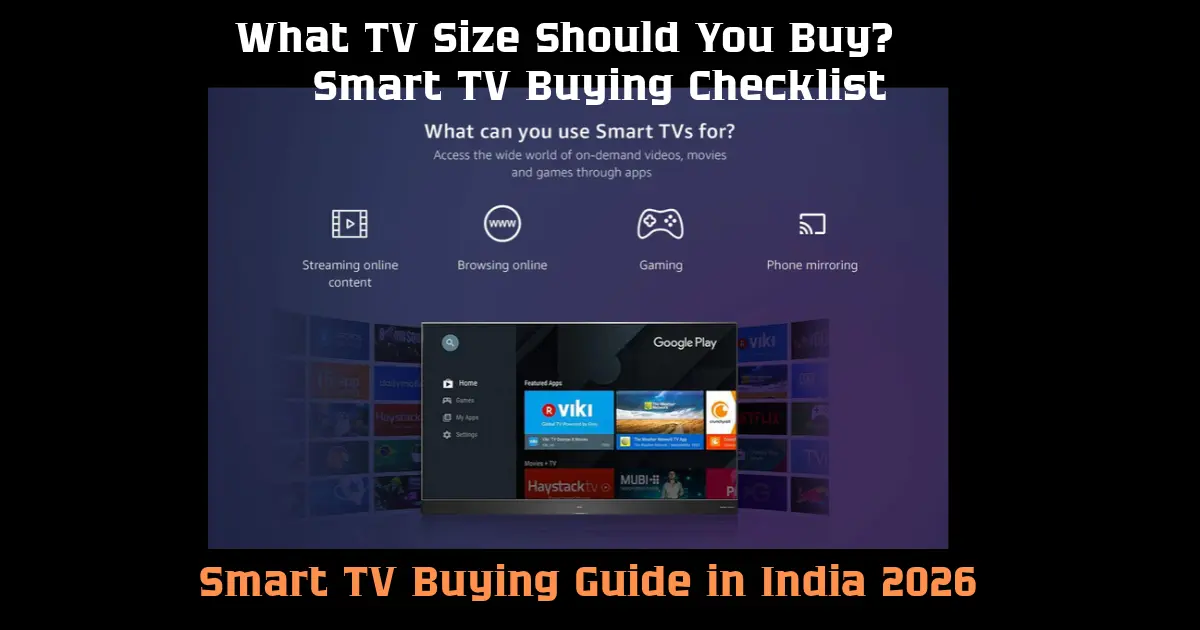
Navigating the television market in 2026 requires looking beyond surface-level showroom displays and marketing buzzwords. Modern televisions function as complete digital hubs—streaming high-definition content, driving high-frame-rate gaming, and acting as central command centers for smart home networks.
However, a higher price tag or a long list of technical features does not automatically make a TV the right fit for your living room. Factors such as ambient lighting, viewing distance, panel architecture, operating system usability, and dedicated audio output dictate your actual daily experience.
1. Determine Screen Size Based on Viewing Distance
Choosing the correct screen size begins with measuring your physical space rather than picking the largest panel on display. Sitting too close to a massive screen can cause eye strain, while sitting too far from a small screen diminishes the clarity of 4K content.
To find the ideal viewing distance for a 4K television, multiply the screen diagonal size by 1.2 to 1.5.
| TV Screen Size |
Recommended Viewing Distance |
Ideal Room Setting |
| 32-inch |
3.5 – 4.5 feet |
Kitchens, small bedrooms, compact home offices |
| 43-inch |
4.5 – 5.5 feet |
Secondary bedrooms, small apartments, studio setups |
| 50 to 55-inch |
5.5 – 7.5 feet |
Standard living rooms, master bedrooms |
| 65-inch |
7.5 – 9.0 feet |
Large living rooms, dedicated media spaces |
| 75 to 85-inch+ |
9.0+ feet |
Home theater rooms, wide open-concept spaces |
There is no single screen size that is correct for everyone.
32-inch TV
A 32-inch television can still make sense for:
- Bedrooms
- Small rooms
- Kitchens
- Guest rooms
- Compact apartments
It can also be useful when viewing distance is relatively short.
43-inch TV
43 inches can provide a noticeable increase in viewing area without requiring the wall space of a much larger television.
It can suit smaller living rooms and bedrooms where a 55-inch or larger TV may feel excessive.
50-55-inch TV
This size range is popular for living rooms because it provides a larger cinematic viewing area while remaining practical for many homes.
A 55-inch TV can be particularly attractive if you watch movies, sports and streaming content regularly.
65-inch TV
A 65-inch television makes more sense when you have sufficient room and viewing distance.
It can provide a more immersive experience for movies, sports and gaming.
However, don't buy a 65-inch TV merely because it looks impressive on a specification sheet.
Make sure the room can accommodate it comfortably.
4K Resolution: Is It Worth Buying?
4K has become an important resolution for modern TVs.
A 4K television has approximately four times as many pixels as a Full HD display.
This allows compatible content to appear sharper, especially on larger screens and when viewed from an appropriate distance.
For a new medium or large television purchase in 2026, 4K is a practical specification to consider.
But remember that the quality of the panel, processing, source material and viewing conditions also affect what you see.
A 4K label alone does not guarantee excellent picture quality.
What Is HDR?
HDR stands for High Dynamic Range.
It is designed to allow compatible content to display a wider range between darker and brighter parts of an image.
When properly implemented, HDR can make highlights appear more realistic while preserving detail in darker areas.
However, HDR performance depends on more than simply having an HDR logo.
The television's brightness, contrast, panel technology and processing all influence the result.
Dolby Vision vs HDR10
You may encounter several HDR formats when comparing televisions.
HDR10 is widely used and is supported across many devices and content platforms.
Dolby Vision is another HDR format with additional capabilities for compatible content and displays.
If you regularly stream movies and series, checking the supported HDR formats can be worthwhile.
But don't buy a TV based on a single format alone.
Overall panel performance remains important.
LED vs QLED vs OLED vs Mini LED
This is one of the most confusing parts of television shopping.
LED TV
Many televisions marketed as LED TVs use an LCD panel with LED backlighting.
They can provide good value across a wide range of sizes and prices.
LED TVs can be suitable for:
- Everyday TV viewing
- Streaming
- Sports
- News
- General family use
QLED TV
QLED televisions generally use quantum-dot technology to enhance colour performance alongside an LCD-based display system.
They can be attractive to viewers who want strong brightness and vivid colours.
OLED TV
OLED technology works differently because individual pixels can produce their own light.
This can provide very deep blacks and strong contrast.
OLED televisions can be particularly appealing for:
- Movies
- Premium streaming
- Dark-room viewing
- Cinematic content
- Users who value contrast
Mini LED
Mini LED televisions use a large number of smaller LEDs for backlighting.
Depending on the implementation, this can provide more precise control of brightness than conventional LED backlighting.
Mini LED can be an interesting option for people who want strong brightness and advanced contrast performance.
Which Display Technology Should You Choose?
The underlying display technology impacts contrast ratios, peak brightness, viewing angles, and overall picture depth.
       [ TV Panel Types ]
               │
   ┌───────────┴───────────┐
   │                       │
[ LCD-Based ]         [ Self-Emissive ]
   │                       │
   ├── Standard LED        └── OLED (Infinite Contrast / Perfect Black)
   ├── QLED (Vibrant)
   └── Mini-LED (High Contrast + Brightness)
Instead of asking which technology is universally best, consider your room and viewing habits.
If you watch mainly during the day in a bright room, brightness can be especially important.
If you frequently watch movies in a darker room, contrast and black-level performance may matter more.
If gaming is a priority, refresh rate, input response and gaming features deserve additional attention.
What Is Refresh Rate?
Refresh rate describes how many times the screen can update each second.
It is measured in hertz, or Hz.
Common TV specifications include:
Higher refresh rates can provide smoother motion in compatible content.
This can be particularly noticeable with:
- Sports
- Fast-action scenes
- Gaming
- Certain high-frame-rate content
However, a higher advertised refresh rate does not automatically mean the TV is better.
Check the actual panel specification and how the manufacturer defines the feature.
Why 120Hz TVs Are Popular With Gamers
Gaming can benefit from a higher refresh rate because compatible games can display smoother motion.
However, the complete gaming setup matters.
A TV marketed for gaming should also be evaluated for:
- HDMI 2.1 support
- Variable Refresh Rate
- Auto Low Latency Mode
- Input lag
- Compatible resolutions
- Console compatibility
If you own a modern gaming console, check its supported output modes before buying the TV.
What Is HDMI 2.1?
HDMI 2.1 is a newer HDMI specification that supports features useful for high-bandwidth applications.
Depending on the implementation, HDMI 2.1 can support higher bandwidth and features such as:
- Higher refresh rates
- Variable Refresh Rate
- Auto Low Latency Mode
- Enhanced gaming capabilities
But be careful when reading specifications.
A TV having an HDMI 2.1 label does not necessarily mean every HDMI port supports every feature associated with the specification.
Check the individual port capabilities.
How Many HDMI Ports Do You Need?
Think about all the devices you currently use.
You may have:
- Set-top box
- Gaming console
- Soundbar
- Streaming device
- Blu-ray player
- Laptop
If you have several HDMI devices, having multiple ports can save you from repeatedly unplugging cables.
Also check whether the TV has enough high-bandwidth ports for the devices that require them.
Does a Smart TV Need Wi-Fi?
For streaming applications, yes, a reliable internet connection is important.
Most modern Smart TVs provide Wi-Fi connectivity.
However, the wireless environment in your home matters.
If the TV is far away from the router or behind several walls, streaming performance may suffer.
Some televisions also provide Ethernet connectivity, which can be useful if you prefer a wired network connection.
Smart TV Operating Systems
The software platform determines how you interact with the TV.
Depending on the manufacturer, you may encounter platforms such as:
- Google TV
- Android TV
- Proprietary Smart TV systems
- Other manufacturer-specific platforms
When comparing TVs, check whether the applications you actually use are available.
These may include:
- YouTube
- Netflix
- Prime Video
- Disney+
- Music applications
- Local streaming services
A television's software experience can become just as important as the panel after several years of ownership.
Don't Ignore Software Updates
Smart TVs are computers designed around a television display.
Software updates can affect:
- Application compatibility
- Security
- Interface
- Performance
- Features
Before purchasing an unfamiliar TV brand, investigate its software support and update history rather than looking only at hardware specifications.
TV Sound: Why the Built-In Speakers May Not Be Enough
Modern televisions have become thinner.
That can create challenges for built-in speakers.
A television may provide acceptable sound for everyday programs while still falling short for movies, music and immersive content.
If sound quality matters to you, consider whether you will eventually use:
- Soundbar
- Home theatre system
- External speakers
Also check whether the TV provides appropriate audio connectivity.
What Is eARC?
eARC stands for Enhanced Audio Return Channel.
It allows compatible TVs and audio equipment to send higher-quality audio through HDMI.
If you plan to buy a soundbar or home-theatre system, checking HDMI ARC/eARC support can be useful.
Should You Buy a Soundbar With Your TV?
Not necessarily on the same day.
First evaluate the built-in speakers.
If you primarily watch news and general television programs, they may be sufficient.
If you watch movies regularly or want stronger dialogue and bass, a soundbar can be a worthwhile addition.
This is another reason to check HDMI audio connectivity before buying the TV.
Smart TV Storage Matters Too
Smart TVs need internal storage for applications and system software.
You usually do not need smartphone-level storage capacity for a TV, but extremely limited storage can become inconvenient if you install many applications.
For most users, software availability and smooth operation matter more than chasing a large storage number.
TV Processor and Picture Processing
Television processors are responsible for tasks beyond simply displaying pixels.
They can handle:
- Image processing
- Upscaling
- Motion processing
- Noise reduction
- Colour processing
- Application performance
This is why two televisions with similar resolution can produce noticeably different results.
A good picture processor can help lower-resolution content appear cleaner on a high-resolution display.
What Is Upscaling?
Much of the content you watch may not actually be native 4K.
A TV's upscaling system attempts to process lower-resolution content so it fits the higher-resolution display.
This can matter when watching:
- Older movies
- Standard television channels
- Older YouTube videos
- HD broadcasts
Therefore, don't evaluate a TV only by looking at native 4K content in a showroom.
TV for Sports: What Should You Check?
Sports viewing places particular emphasis on motion.
When comparing TVs for sports, consider:
- Motion handling
- Refresh rate
- Brightness
- Viewing angles
- Screen size
- Picture processing
A larger screen can make sports more immersive, but motion performance and viewing distance remain important.
TV for Gaming: What Should You Check?
For gaming, consider:
- Refresh rate
- HDMI 2.1 features
- VRR
- ALLM
- Input latency
- Resolution
- HDR
- Console compatibility
Don't assume a TV is a gaming TV simply because the product page contains a gaming logo.
Check the actual specifications.
TV for Movies and Streaming
Movie viewers may want to prioritize:
- Contrast
- Black levels
- HDR
- Colour accuracy
- Screen size
- Viewing environment
- Audio support
OLED can be attractive for dark-room movie viewing because of its pixel-level light control, while other display technologies can offer strong brightness that may be useful in bright rooms.
Is a 32-Inch Smart TV Enough in 2026?
For certain rooms, yes.
A 32-inch TV can still make sense for a bedroom or compact space.
The important question is not whether 32 inches is technologically impressive.
It is whether the size matches the room and viewing distance.
Should You Buy the Cheapest Smart TV?
Price is important, but the cheapest model is not automatically the best value.
Before buying, check:
- Display quality
- Operating system
- App support
- Warranty
- Ports
- Sound
- Software support
- Build quality
- Manufacturer service
A low purchase price can become less attractive if the software is frustrating or the product lacks useful connectivity.
Check Indian Certification and Product Information
Televisions are included in India's electronics regulatory framework.
The Bureau of Indian Standards lists television categories under its compulsory registration framework, including Plasma/LCD/LED televisions and television sets covered by relevant Indian standards.
When buying electronics in India, especially from unfamiliar sellers, checking product information and applicable certification details is a sensible part of the purchase process.
Common Smart TV Buying Mistakes
Mistake 1: Choosing the biggest screen
A huge TV is not automatically suitable for every room.
Mistake 2: Looking only at resolution
4K is useful, but panel quality and processing also matter.
Mistake 3: Assuming every HDR TV performs the same
HDR performance depends on brightness, contrast, panel technology and processing.
Mistake 4: Ignoring HDMI ports
You may run out of ports after adding a console and soundbar.
Mistake 5: Buying based only on speaker wattage
Higher wattage does not automatically mean better sound quality.
Mistake 6: Ignoring software
A Smart TV's software becomes part of your daily experience.
Mistake 7: Forgetting viewing distance
Screen size should be considered together with room layout.
Mistake 8: Assuming every HDMI 2.1 port has identical capabilities
Check the specifications for each port.
Simple Smart TV Buying Formula
If you are confused by the specifications, start with five questions.
1. Where will the TV be installed?
Bedroom, living room or another space?
2. How far will you sit from it?
Use this to narrow the screen-size range.
3. What do you watch?
Movies, sports, television channels, YouTube or gaming?
4. How bright is the room?
Bright rooms and dark rooms can favour different display characteristics.
5. What devices will you connect?
Check HDMI, USB, audio and network requirements before buying.
Smart TV Buying Checklist for India
Before placing an order, check:
-
Suitable screen size
-
4K resolution if appropriate
-
Display technology
-
Brightness
-
Contrast
-
HDR support
-
Refresh rate
-
Gaming features if required
-
HDMI port count
-
HDMI 2.1 capabilities if required
-
eARC/ARC
-
Wi-Fi
-
Ethernet
-
Smart TV platform
-
Required streaming apps
-
Software-update support
-
Speaker performance
-
Warranty
-
Service availability
-
Applicable Indian certification/product information
Final Thoughts: Matching the TV to Your Space and Viewing Habits
Selecting the right Smart TV in 2026 comes down to aligning screen capabilities with your physical environment, lighting conditions, and entertainment habits. Rather than buying based solely on maximum display size or raw resolution, evaluate how specific hardware features directly benefit your primary daily use:
-
Nighttime Movie Enthusiasts: Prioritize high contrast ratios, deep black levels, and dynamic HDR support (such as Dolby Vision or HDR10+) offered by OLED or high-zone Mini-LED displays.
-
Daytime Sports Viewers: Target bright QLED or Mini-LED panels with high peak luminance, wide viewing angles, and robust motion-processing capabilities to combat ambient room glare.
-
Console & PC Gamers: Look for native 120Hz or 144Hz panel refresh rates, dedicated HDMI 2.1 ports, Variable Refresh Rate (VRR), Auto Low Latency Mode (ALLM), and low input lag.
-
Everyday Family Streaming: Focus on intuitive smart platform interfaces (such as Google TV, LG webOS, or Samsung Tizen), smooth app navigation, responsive voice control, and clean built-in audio.
Before placing an order, measure your seating distance, evaluate your room's daytime lighting, check your existing audio equipment, and verify port availability. Choosing a television based on the complete overall package ensures long-term viewing comfort without overpaying for high-end features you rarely utilize.
Product & Buying Guide Disclaimer
Specifications, pricing, available streaming apps, software OS builds, and promotional offers are subject to change by manufacturers and retailers after publication. Real-world display performance (including peak brightness, panel uniformity, contrast, and motion handling) varies depending on room lighting, ambient temperature, source content quality, and display settings. Always verify official product specifications, warranty terms, and live pricing directly with authorized brand retailers or manufacturers prior to purchase.