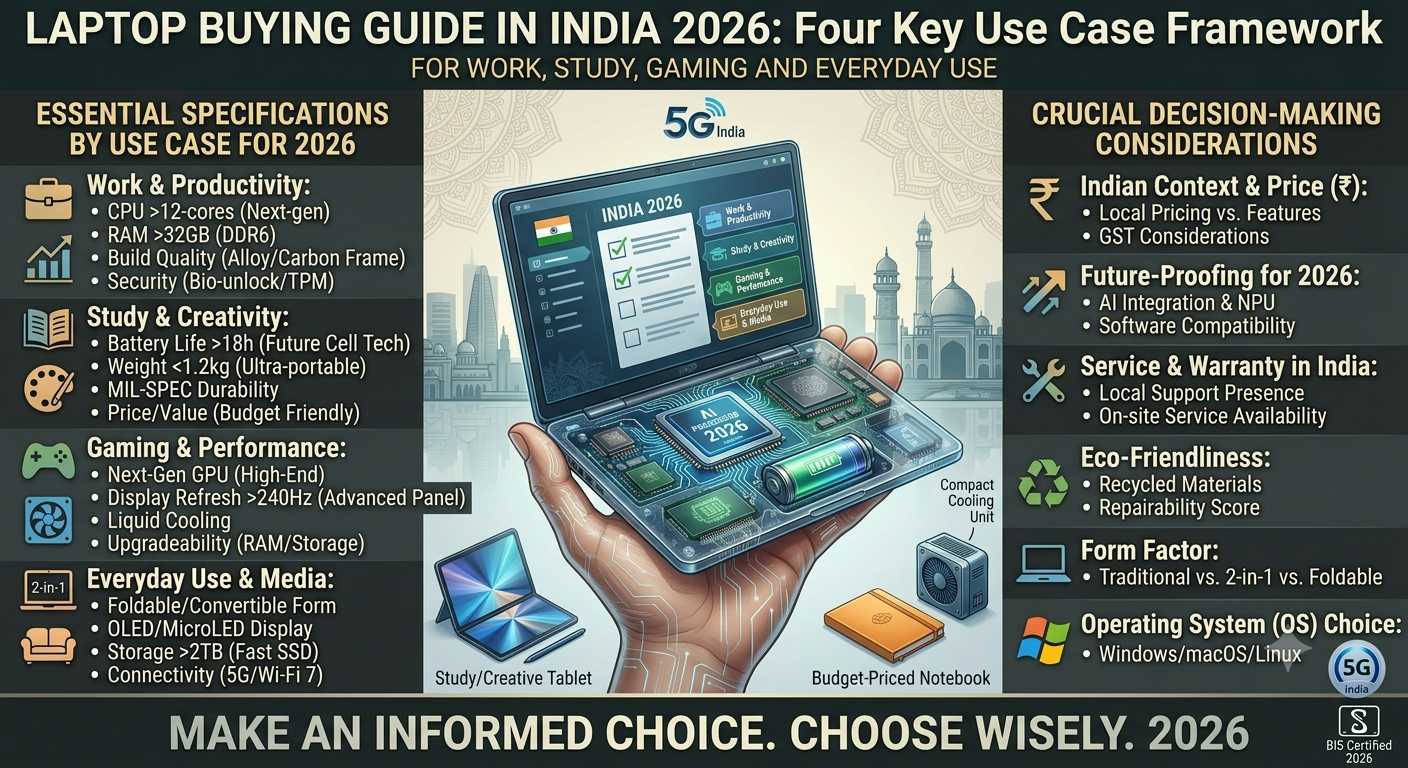
Buying a laptop in 2026 is not as simple as choosing the newest processor or the highest amount of RAM.
There are now laptops designed for students, office workers, creators, programmers, gamers, travellers and people who simply want a dependable computer for everyday tasks. Some focus on portability and battery life, while others prioritize graphics performance, large displays or upgradeability.
The challenge is finding the right balance.
A laptop that is excellent for gaming may be unnecessary for someone who mainly uses Microsoft Office and a browser. A lightweight laptop can be perfect for travelling but may not be the right choice for heavy video editing. Similarly, buying a laptop with a powerful processor but a poor display, limited storage or insufficient memory can lead to disappointment later.
This laptop buying guide explains the specifications that matter most and how to choose a laptop according to your actual usage.
What Should You Check Before Buying a Laptop?
Before looking at individual brands or models, check these main areas:
- Processor
- RAM
- Storage
- Display
- Graphics
- Battery
- Weight
- Keyboard and touchpad
- Ports
- Wireless connectivity
- Operating system
- Upgrade options
- Build quality
- Warranty and service
- Price
The most important point is that these specifications should be considered together.
A laptop is a complete system, not just a processor.
1. Choose the Processor According to Your Work
The processor, or CPU, is one of the most important components inside a laptop.
It handles general computing tasks such as running applications, processing instructions and managing many everyday operations.
Modern laptop processors come in different performance levels. You may see names from Intel, AMD and other processor platforms, with different generations and model numbers.
Do not assume that a higher number automatically means a better laptop.
Processor naming can be confusing because manufacturers use different product families, generations and suffixes.
Instead, ask yourself what you actually want to do.
For basic everyday use
If your main activities are:
- Web browsing
- Email
- Documents
- Online meetings
- YouTube
- Social media
- Basic office work
You generally do not need a high-end performance processor.
A modern entry-level or mainstream processor can be sufficient when paired with enough RAM and an SSD.
For office and professional work
If you regularly use:
- Excel
- PowerPoint
- Word
- Business applications
- Multiple browser tabs
- Video meetings
- Accounting software
A mainstream processor with adequate RAM is a better target.
For professional users, smooth multitasking can be more important than chasing the highest benchmark score.
For programming
Programming requirements vary considerably.
Web development and general coding can run comfortably on many mainstream laptops.
However, developers working with:
- Android Studio
- Virtual machines
- Large projects
- Containers
- Local databases
- Compilers
- Development servers
may benefit from a stronger processor and more memory.
For video editing and creative work
Video editing, 3D applications and professional creative software can place much greater demands on a laptop.
Here, CPU performance, GPU performance, RAM, storage speed and display quality can all become important.
2. How Much RAM Do You Need?
RAM affects how comfortably your laptop can handle multiple applications at the same time.
You may see laptops with 8GB, 16GB, 24GB, 32GB or more.
8GB RAM
8GB can work for basic tasks such as:
- Web browsing
- Documents
- Streaming
- Email
- Light office work
However, heavy multitasking can make an 8GB machine feel restrictive.
16GB RAM
For many laptop buyers, 16GB is a more comfortable target.
It can provide additional room for:
- Multiple browser tabs
- Office applications
- Programming
- Photo editing
- Online meetings
- General multitasking
32GB RAM or more
Higher memory capacities make more sense for demanding workloads.
Consider more RAM if you regularly use:
- Video editing software
- 3D applications
- Virtual machines
- Large development environments
- Professional creative applications
- Heavy multitasking
Don't pay for large amounts of memory simply because the number looks impressive.
Buy according to your workload.
3. SSD Storage Is Important
Modern laptops should generally use SSD storage rather than relying on an old mechanical hard drive as the primary system drive.
An SSD can make everyday computing feel much more responsive.
It can improve tasks such as:
- Starting Windows
- Opening applications
- Loading projects
- Accessing files
- Installing software
Common capacities include:
Is 256GB enough?
It can work for light users who mainly use cloud storage and basic applications.
However, operating-system files, applications, documents and media can consume space faster than expected.
Is 512GB better?
For many users, 512GB provides a more comfortable starting point.
It gives you more room for applications, personal files and projects without immediately requiring external storage.
Who needs 1TB or more?
Consider larger storage if you regularly keep:
- Videos
- Photos
- Games
- Large project files
- Development environments
- Creative assets
- Offline media
4. Don't Ignore the Laptop Display
The display is something you will look at every time you use the laptop.
Important specifications include:
- Screen size
- Resolution
- Panel technology
- Brightness
- Refresh rate
- Colour coverage
- Aspect ratio
- Touch support
A powerful laptop with a poor display can still be frustrating to use.
5. Is Full HD Enough in 2026?
For many laptops, a Full HD-class resolution can still be perfectly practical.
Higher resolutions can provide a sharper image, but they may also increase power consumption and can require more graphics performance in demanding applications.
For a normal 14-inch or 15-inch productivity laptop, display quality is about more than resolution.
Brightness, colour quality and viewing comfort also matter.
6. OLED vs LCD Laptop Display
OLED displays can provide strong contrast and deep blacks, which can make movies, photos and other visual content look impressive.
However, OLED is not automatically the correct choice for everyone.
When comparing an OLED laptop, also check:
- Brightness
- Reflectivity
- Refresh rate
- Colour characteristics
- Battery impact
- Manufacturer warranty
- Intended usage
An LCD display can still be a sensible option for users who prioritize practicality, battery life or price.
7. Do You Need a Dedicated Graphics Card?
This is one of the biggest decisions when buying a laptop.
A laptop can use integrated graphics or a dedicated GPU.
Integrated graphics
Integrated graphics are often sufficient for:
- Office work
- Web browsing
- Streaming
- Education
- Programming
- Light photo editing
- Casual gaming
They can also help laptops remain thinner and more power efficient.
Dedicated graphics
A dedicated GPU becomes more important for:
- Modern gaming
- 3D rendering
- Professional video editing
- 3D modelling
- GPU-accelerated applications
- Certain AI workloads
Gaming laptops generally require more powerful graphics hardware than ordinary productivity machines.
8. Don't Buy a Gaming Laptop Just Because It Has a Powerful GPU
A gaming laptop is a complete system.
When evaluating one, also consider:
- GPU power limits
- Processor
- Cooling
- Display refresh rate
- RAM
- SSD
- Battery
- Weight
- Charger size
- Fan noise
A powerful graphics processor inside a poorly cooled chassis may not deliver the experience you expect.
9. Battery Life Is More Than the Battery Size
Laptop batteries are commonly described using Wh, or watt-hours.
A larger battery does not automatically guarantee longer battery life.
Actual battery performance depends on many factors, including:
- Processor efficiency
- Display
- Screen brightness
- Software
- Background applications
- Battery capacity
- Wireless connectivity
- Workload
A laptop used mainly for documents and browsing can behave very differently from the same laptop when running games or demanding editing software.
Therefore, don't compare laptops using battery capacity alone.
10. Weight Matters If You Travel
If you carry your laptop every day, weight becomes an important specification.
A heavy performance laptop may be acceptable for someone who works mainly at a desk.
For students, office commuters and frequent travellers, a lighter laptop can be much more convenient.
Consider the complete carrying weight:
Laptop + charger + accessories
A compact laptop with a small charger can be easier to travel with than a heavier machine even if their screen sizes are similar.
11. Check the Keyboard Carefully
The keyboard is easy to overlook when shopping online.
If possible, check:
- Key spacing
- Key travel
- Backlighting
- Layout
- Arrow keys
- Number pad
- Function-key arrangement
For someone who writes emails, reports or code throughout the day, keyboard comfort can have a major effect on everyday use.
12. Don't Forget the Touchpad
A good touchpad can make a laptop much easier to use.
Check:
- Size
- Tracking accuracy
- Click mechanism
- Multi-touch gestures
- Palm rejection
A laptop with a good touchpad can reduce your dependence on an external mouse when travelling.
13. Check the Ports Before Buying
Port selection varies significantly between laptops.
Common ports include:
- USB-C
- USB-A
- HDMI
- Headphone jack
- SD or microSD card slot
- Ethernet
- Display-capable USB-C connections
Don't assume a laptop has a particular port simply because it looks modern.
If you use a monitor, printer, camera, wired network or external storage, check the exact port configuration before buying.
14. USB-C Is Increasingly Important
USB-C can support different functions depending on the laptop.
A USB-C port may support:
- Data transfer
- Charging
- Display output
- Docking
- High-speed peripherals
But not every USB-C port supports every function.
Read the specifications carefully.
This is particularly important if you plan to use a USB-C monitor, docking station or external storage.
15. Wi-Fi and Bluetooth
Wireless connectivity is another specification worth checking.
A modern laptop should provide suitable Wi-Fi and Bluetooth support for your usage.
For users transferring large files over a local network, using cloud services frequently or connecting multiple wireless accessories, newer wireless standards can provide useful advantages.
However, your router and other devices also need to support the relevant technology before you see its full benefit.
16. Windows 11 Compatibility
If you are buying a Windows laptop, compatibility with the current operating system matters.
Microsoft's published Windows 11 requirements include a compatible 64-bit processor, at least 4GB RAM, at least 64GB storage, UEFI firmware with Secure Boot capability and TPM 2.0, among other requirements.
These are minimum requirements, not necessarily the specifications you should target for a comfortable modern laptop.
For a new purchase, it makes more sense to choose hardware with sufficient headroom for the applications you expect to use.
17. What Is an AI PC?
AI-focused laptops have become an important part of the current PC market.
These systems can include hardware designed to accelerate certain AI workloads locally.
You may encounter terms such as:
- NPU
- AI PC
- Copilot+ PC
- Neural processing
- On-device AI
An NPU is designed specifically for certain AI-related workloads.
However, don't buy an AI laptop solely because the term appears on the product box.
Think about whether the software you actually use benefits from local AI acceleration.
For many users, processor performance, RAM, SSD capacity, display and battery life may still be more important purchasing considerations.
18. MacBook or Windows Laptop?
This depends largely on your software requirements and preferred ecosystem.
Windows laptops
Windows provides a broad selection of:
- Budget laptops
- Business laptops
- Gaming laptops
- 2-in-1 systems
- Creator machines
- Workstations
It is also widely used across business and education environments.
Mac laptops
Mac laptops can be attractive to users already invested in Apple's ecosystem or those who prefer macOS.
They are available in different sizes and performance levels and can be particularly relevant to users working with Apple's software ecosystem.
The important point is not to choose based only on brand.
Check whether the operating system supports the applications you need.
19. Should Students Buy a Gaming Laptop?
Usually, the answer depends on what the student actually needs.
A gaming laptop can provide powerful hardware, but it may also be heavier, thicker and less convenient to carry.
For students primarily doing:
- Research
- Documents
- Presentations
- Online classes
- Programming
- Browsing
a mainstream productivity laptop may be sufficient.
A gaming laptop becomes more relevant when gaming, 3D work or demanding creative software is part of the intended workload.
20. Laptop Buying Guide for Office Users
Office users should prioritize:
- Comfortable keyboard
- Good webcam
- Reliable Wi-Fi
- Adequate RAM
- SSD storage
- Good battery life
- Comfortable display
- Useful ports
- Build quality
A huge processor is not necessarily the most useful upgrade for someone whose daily work consists mainly of documents, spreadsheets, meetings and browser applications.
21. Laptop Buying Guide for Creators
Creators should pay closer attention to:
- CPU
- GPU
- RAM
- SSD
- Display
- Colour coverage
- Storage expansion
- Ports
- Cooling
If you edit high-resolution video or work with 3D applications, GPU capability can become especially important.
22. Laptop Buying Guide for Gamers
Gamers should examine:
- Dedicated GPU
- Processor
- GPU power configuration
- Display refresh rate
- Resolution
- Cooling
- RAM
- SSD
- Upgrade options
Don't judge gaming performance from the GPU model name alone.
Two laptops using similar GPU families can deliver different results depending on cooling, power configuration and other hardware.
23. Should You Buy an Upgradeable Laptop?
If you expect your computing requirements to increase, upgradeability can be valuable.
Check whether the laptop allows upgrades to:
Some thin laptops have components that are not easily upgradeable.
If you cannot upgrade later, it becomes more important to choose sufficient memory and storage when you purchase the laptop.
24. Check the Warranty and Service Network
Price should not be your only consideration.
Before buying, check:
- Warranty period
- Authorized service availability
- Repair options
- Accidental-damage coverage
- Battery warranty terms
- Support channels
A slightly different specification can sometimes be more practical if the product has better long-term support for your location.
25. Common Laptop Buying Mistakes
Buying the highest processor number
A higher model number does not automatically make a laptop better for your workload.
Choosing 8GB RAM without considering future use
It can be sufficient for basic tasks, but heavier multitasking may benefit from more memory.
Ignoring the display
You interact with the display every day.
Buying a large gaming laptop for simple work
You may end up carrying unnecessary weight and paying for performance you rarely use.
Looking only at battery capacity
Battery life depends on the complete system.
Ignoring ports
You may later need an adapter or dock.
Buying too little storage
Applications and personal files can consume storage quickly.
Choosing a laptop only because it is on sale
A discount does not make an unsuitable laptop suitable.
A Simple Laptop Buying Formula
If you find laptop specifications confusing, use this simple approach.
Step 1: Identify your main use
Ask:
What will I do on this laptop most of the time?
Step 2: Choose the performance level
Basic work does not require the same hardware as gaming or professional editing.
Step 3: Select enough RAM
For heavier multitasking, choose more memory.
Step 4: Choose enough SSD storage
Think about how much data you expect to keep locally.
Step 5: Check the display
Don't sacrifice screen quality without a good reason.
Step 6: Check weight and battery
Especially if you travel with the laptop.
Step 7: Check ports
Make sure your existing accessories will work.
Step 8: Check warranty and service
Consider the ownership experience, not just the purchase price.
Final Laptop Buying Checklist
Before placing your order, check:
-
Processor matches your workload
-
Enough RAM
-
SSD instead of slow primary storage
-
Enough storage capacity
-
Suitable display
-
Suitable graphics
-
Good battery expectations
-
Comfortable weight
-
Keyboard layout
-
Touchpad quality
-
USB-C capabilities
-
Required ports
-
Wi-Fi and Bluetooth
-
Operating-system compatibility
-
Upgrade possibilities
-
Warranty
-
Service availability
-
Final price
Final Thoughts
The best laptop for you is not necessarily the most powerful laptop available.
It is the laptop whose hardware matches the way you actually work, study, create or play.
A student may value portability and battery life. An office worker may care more about keyboard comfort, webcam quality and reliability. A programmer may need additional RAM and storage. A creator may need a powerful GPU and accurate display. A gamer may prioritize graphics performance, cooling and a high-refresh-rate screen.
That is why laptop shopping should begin with your workload rather than a processor name.
Before buying, make a list of the applications you use, the amount of storage you need, how often you travel and whether you plan to keep the laptop for several years.
Then compare the specifications that directly affect those requirements.
A carefully selected mainstream laptop can often provide a better ownership experience than an expensive machine filled with specifications you never use.
The smartest laptop purchase is the one that gives you the right performance, portability, storage, display and features for your real daily needs.