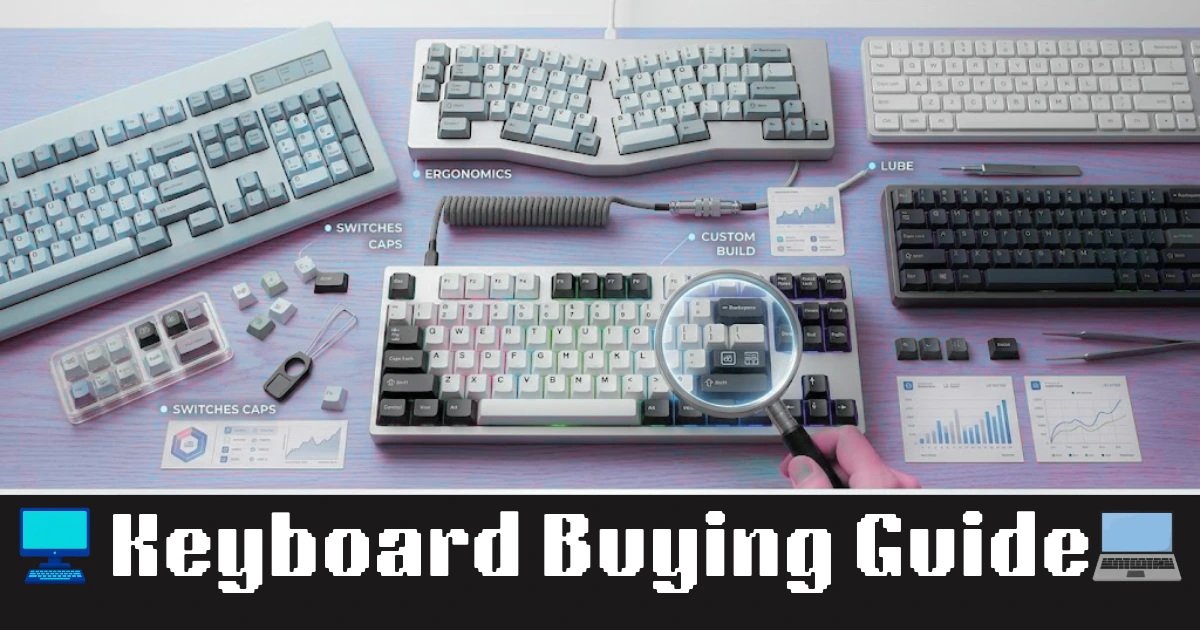
A keyboard can affect how comfortably you work, how quickly you enter information and how much noise you make in a shared room. Yet many buyers choose one based only on appearance, price or the number of extra keys it offers.
A better approach is to start with your daily tasks. Someone who enters data for several hours has different needs from a student writing assignments, a programmer using keyboard shortcuts or a gamer who wants precise control.
This guide explains the practical differences between keyboard types and helps you decide which features are worth paying for.
1. Start With the Work You Do Every Day
Before comparing models, identify where the keyboard will be used most often.
For office work and data entry: Look for comfortable key spacing, dependable key response and a layout that suits your work. If you regularly enter figures, a dedicated number pad can save time.
For students and home users: A straightforward keyboard with familiar keys is usually sufficient for assignments, browsing, online classes and everyday computer tasks. Spending extra on advanced gaming features may not provide much benefit.
For programming and writing: Consistent key response, useful shortcut placement and a comfortable typing position matter more than decorative lighting. Compact layouts can free up desk space, but make sure you are comfortable with their function-key arrangements.
For gaming: Consider the games you play, the number of simultaneous key presses supported and whether the keyboard offers reliable response. Dedicated gaming features are useful only when they match your needs.
For shared workspaces: Pay attention to typing noise. A keyboard that sounds acceptable at home may become distracting in an office, library or bedroom shared with another person.
2. Understand the Main Keyboard Designs
Keyboard design influences how the keys feel, how much noise they produce and what kind of maintenance they may require.
Membrane keyboards
Membrane keyboards use a layered contact mechanism beneath their keys. They are common in everyday office and home setups and are available in many simple, affordable designs.
They can be a sensible choice for routine typing, browsing and administrative work. However, the feel and consistency vary between models, so the category name alone does not tell you whether a particular keyboard will be comfortable.
Mechanical keyboards
Mechanical keyboards use individual mechanical switches for their keys. Depending on the switch, pressing a key may feel light, firm, tactile or noticeably clicky.
They appeal to people who care about key feedback and customisation. However, mechanical keyboards are not automatically better for every typist. They may be louder, heavier or more expensive than a basic keyboard.
If you are considering one, check the actual switch type and sound rather than relying on the word “mechanical” in the product title.
Scissor-switch keyboards
Scissor-switch designs commonly use a low-profile mechanism that keeps key movement relatively short. They are often found in slim keyboards and laptop-style designs.
This style may suit users who prefer a compact desk setup or a laptop-like typing feel. Try one before buying if you are accustomed to taller keys, because the difference can take some adjustment.
3. Choose a Layout That Fits Your Desk and Habits
Keyboard size is not simply a matter of appearance. It determines which keys are available and how much room the keyboard occupies.
A full-size keyboard normally includes the alphabet keys, function row, navigation keys and a separate number pad. It is a practical option for spreadsheets, billing, accounting and other number-heavy tasks.
A tenkeyless keyboard removes the separate number pad. This leaves more room for mouse movement while keeping many familiar navigation and function keys.
A compact keyboard reduces the footprint further. Some compact models move navigation functions onto shared keys or use a function layer for additional controls.
Before choosing a smaller layout, check the position of the arrow keys, Delete, Home, End and function keys. These controls can be important in spreadsheets, document editing and software development.
Also check whether the keyboard uses a layout you recognise. A layout that looks compact in product photos may require extra key combinations for tasks you perform frequently.
4. Wired or Wireless: Which Connection Makes Sense?
The best connection depends on your setup rather than a universal rule that one option is superior.
Wired USB: A wired keyboard is simple to connect and does not require a keyboard battery. It can be convenient for desktop computers and fixed workstations. Make sure the cable is long enough to reach your computer without stretching.
2.4 GHz wireless: These keyboards usually connect through a small USB receiver. They can be useful for desktop setups where you want fewer cables. Check whether your computer has a suitable USB port and whether the receiver can be stored safely when travelling.
Bluetooth: Bluetooth models can be convenient for compatible laptops, tablets and other devices. Some support switching between multiple paired devices, which can help if you regularly work across a computer and tablet.
Wireless keyboards need power from batteries or a rechargeable battery, depending on the model. Check the manufacturer's stated battery information and whether charging interrupts your work.
For gaming, connection quality and the keyboard's tested responsiveness are more useful criteria than simply choosing wired or wireless. A well-designed wireless keyboard may be suitable, but specifications and implementation differ between products.
5. Key Feel, Travel and Noise Deserve Attention
Two keyboards with similar layouts can feel very different when you type.
Key travel refers to how far a key moves when pressed. Some users prefer a short movement, while others find more movement easier to control. Neither preference is universally correct.
The force required to press a key also affects comfort. Very stiff keys may become tiring for some users, while extremely light keys may lead to accidental presses for others.
Noise is another consideration. Clicky switches are designed to produce an audible sound, while other switch designs can be quieter. The keyboard's construction and keycaps also influence the sound you hear.
If possible, test the keyboard before buying. Type a paragraph, use the arrow keys and try the shortcuts you use regularly. A short test can reveal more about comfort than a long list of marketing terms.
6. Which Extra Features Are Actually Useful?
Additional features can improve convenience, but they should not distract you from layout and comfort.
-
Dedicated media controls: Helpful if you frequently adjust volume or pause music while working.
-
Backlighting: Useful in dim environments. Adjustable brightness is preferable if you want to avoid unnecessary glare.
-
Multi-device switching: Worth considering if you move regularly between compatible computers or tablets.
-
Programmable keys: Can save time when you repeatedly perform the same action, provided the required software supports your setup.
-
Hot-swappable switches: Relevant mainly to compatible mechanical keyboards. They allow supported switches to be replaced without soldering, but compatibility must be checked.
-
Spill resistance: May provide some protection against accidental liquid exposure, but it does not make every spill harmless or guarantee that the keyboard can be washed.
RGB lighting, unusual shapes and extra software options can be attractive. Treat them as secondary benefits rather than reasons to ignore a poor layout or uncomfortable typing feel.
7. Check Compatibility Before Ordering
A keyboard may have the right features and still be inconvenient if it does not work properly with your equipment.
Check the connection options supported by your computer or tablet. A USB-A receiver, USB-C cable and Bluetooth connection are not interchangeable in every setup.
If you plan to use a keyboard with a tablet or phone, confirm that the device supports the required connection and that your frequently used keys work as expected.
For Windows and macOS users, key labels and shortcut arrangements may differ. Some keyboards support both systems, but the available shortcuts and configuration options depend on the product.
Also check the keyboard's dimensions, included accessories, warranty terms and return policy. Product photographs can make a keyboard appear smaller than it is, so compare its measurements with your available desk space.
8. Common Buying Mistakes to Avoid
One common mistake is paying extra for features you will rarely use. A person who mainly writes emails may not benefit from elaborate gaming controls.
Another is choosing a compact layout without checking where essential keys have moved. This can slow down work if you frequently use navigation commands or a number pad.
Do not assume that every wireless keyboard has the same responsiveness or battery life. These details vary by model and usage.
Finally, do not judge typing comfort from online photographs. Key spacing, height, resistance and sound are difficult to assess visually. Where possible, test the keyboard or buy from a seller with a clear return policy.
9. A Practical Checklist Before You Buy
Use this checklist to compare shortlisted keyboards:
-
Does the layout match the tasks I perform most often?
-
Do I need a separate number pad?
-
Do I prefer low-profile, membrane or mechanical keys?
-
Is typing noise acceptable for my workspace?
-
Will the wired, receiver-based or Bluetooth connection work with my device?
-
Are the keys I use frequently easy to reach?
-
Do I genuinely need backlighting or programmable controls?
-
Have I checked dimensions, warranty and return conditions?
Compare products against these requirements rather than choosing solely by brand name or the longest feature list.
Keyboard Price Comparison in India: Which Budget Should You Choose?
Keyboard prices in India vary by brand, layout, connection type and build quality. Instead of choosing the cheapest option automatically, match your budget to the features you will use regularly.
| Budget in India |
Keyboard Type to Consider |
Best Suited For |
What to Check |
| Under Rs 500 |
Basic wired keyboard |
Occasional typing, simple home use |
Key spacing, build quality and warranty |
| Rs 500–Rs 1,000 |
Entry-level wired or basic wireless keyboard |
Students and everyday computer users |
Connection reliability, layout and key comfort |
| Rs 1,000–Rs 2,000 |
Better-built office keyboard or basic wireless combo |
Regular office work and home study |
Comfort, multimedia controls and receiver compatibility |
| Rs 2,000–Rs 3,500 |
Feature-rich wireless keyboard or entry-level mechanical model |
Frequent typing and users seeking extra features |
Key feel, connectivity, noise and warranty |
| Rs 3,500–Rs 6,000 |
More specialised mechanical or multi-device keyboard |
Programming, extended typing sessions and customisation |
Switch type, layout, build quality and software support |
| Above Rs 6,000 |
Premium mechanical or specialised productivity keyboard |
Enthusiasts and users with specific workflow needs |
Whether premium materials and extra controls justify the cost |
These ranges are broad shopping guidelines, not fixed price brackets. Discounts, availability and product specifications can move individual keyboards into different ranges.
Where Should You Spend Your Budget?
-
For students: Prioritise a familiar layout, comfortable keys and reliable connectivity over lighting effects.
-
For office and data-entry work: Consider whether a dedicated number pad and useful navigation keys will save time.
-
For programming and frequent typing: Pay attention to key feel, layout and the location of frequently used shortcuts.
-
For gaming: Compare responsiveness and the features supported by the specific model instead of assuming every mechanical keyboard is designed for gaming.
-
For a shared workspace: Consider a quieter keyboard before spending extra on decorative features.
Best buying tip: If you are unsure which keyboard suits you, compare two or three models within your budget and check their layout, connection type, warranty and return policy. A well-matched basic keyboard can be a better purchase than an expensive model with features you rarely use.
Frequently Asked Questions
Is a mechanical keyboard necessary for typing?
No. Many people type comfortably on membrane and scissor-switch keyboards. Mechanical models are worth considering if you prefer their key feedback, switch options or customisation.
Is a full-size keyboard better for office work?
It can be useful for spreadsheet work and frequent numerical entry because it includes a separate number pad. If desk space and mouse movement are more important, a smaller layout may suit you better.
Should I buy a wireless keyboard for a desktop computer?
A wireless model can reduce cable clutter and make desk arrangements easier. A wired model avoids keyboard battery management. Choose based on your connection needs and workspace.
Does a higher price guarantee a better keyboard?
No. Price can reflect materials, switches, wireless features or customisation, but it does not guarantee a comfortable typing experience. Compare the features that matter to your actual use.
Finally Say:
The right keyboard is the one that fits your work habits, preferred key feel, desk space and connection requirements. Start with the tasks you perform most often, then compare layouts and essential features before considering extras.
For a first-time buyer, comfort and a familiar layout are sensible priorities. For someone with specific needs such as extensive numerical entry, gaming or custom mechanical switches, more specialised features may be worth the additional cost.
A careful comparison can help you avoid paying for features you will not use and choose a keyboard that remains practical throughout your daily routine.